One console over every Claude Code session on your Mac.
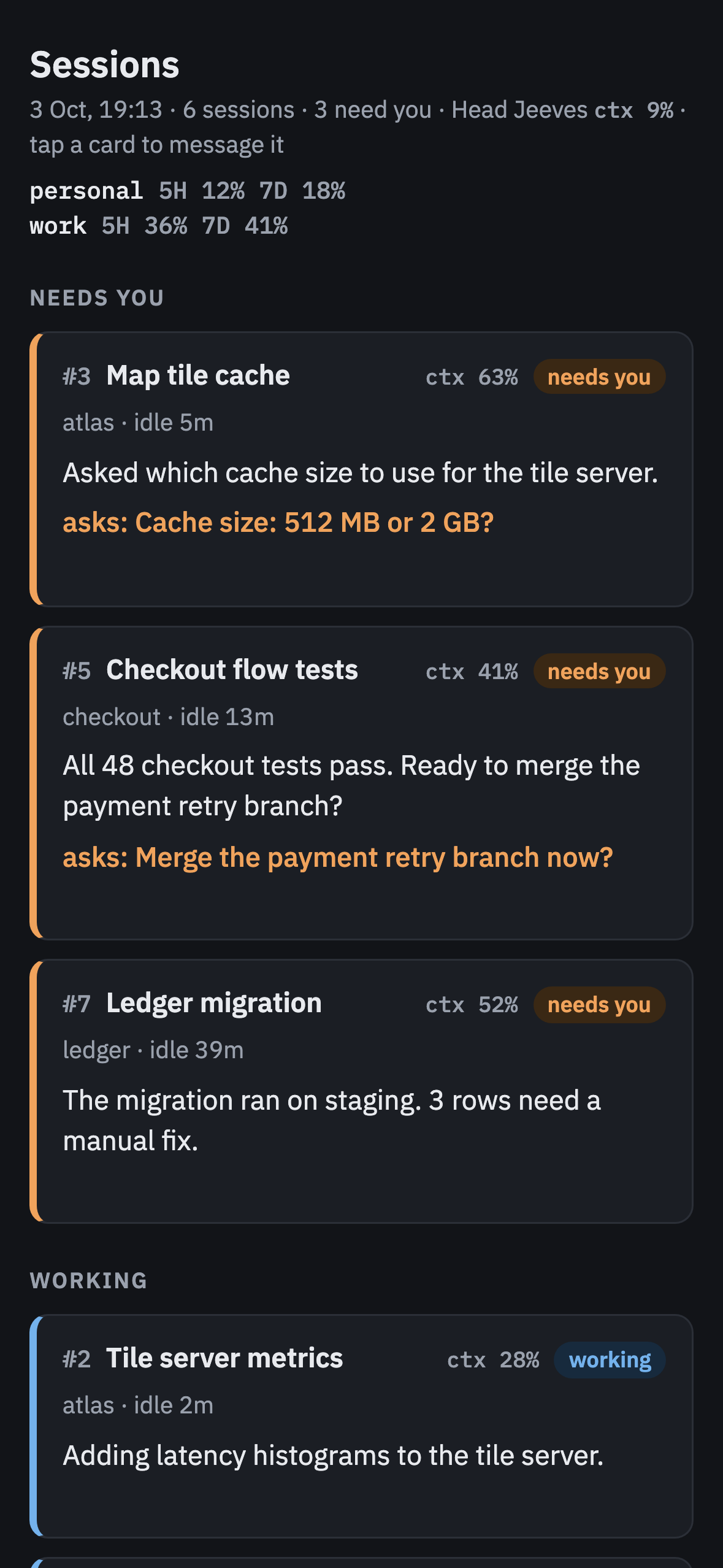
You run a session per repo, per task, per account. podbay puts them all on one screen: what each one is doing, which ones wait for you, and how much quota each account has left. Head Jeeves, a Claude session of its own, watches them with you and answers on your phone.
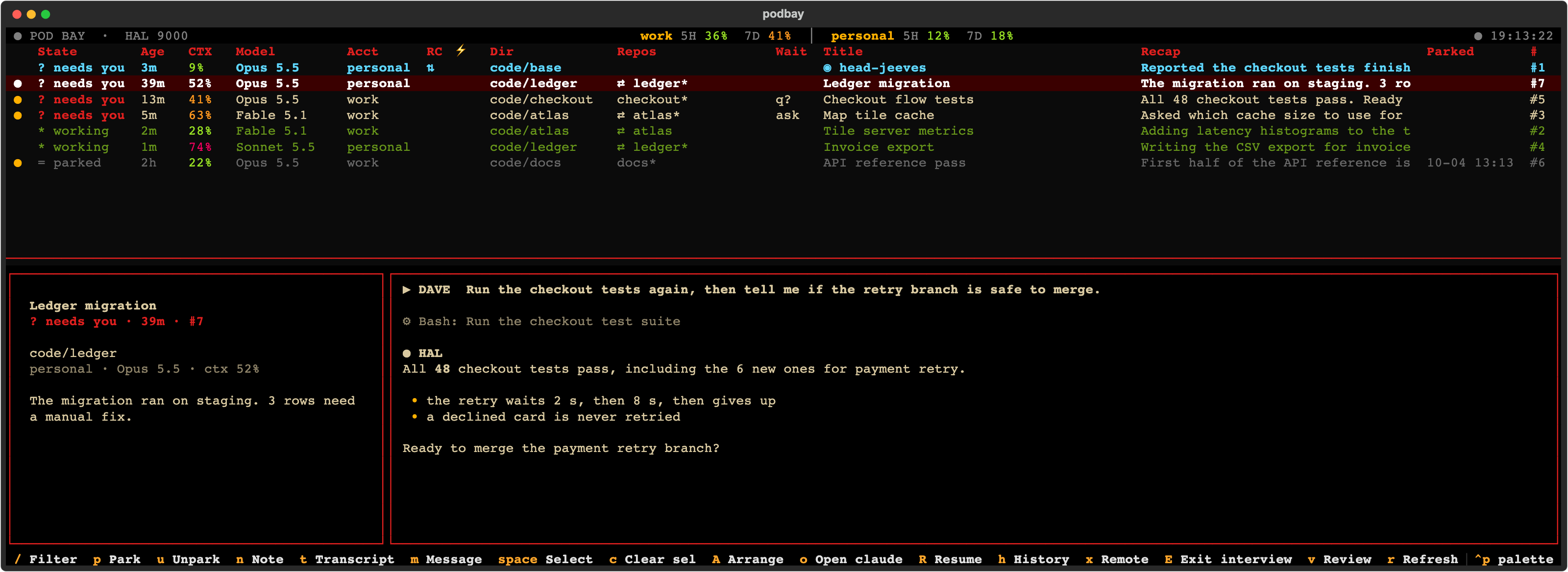
The console
podbay reads the files Claude Code already keeps: the session registry, the end of each transcript and the status line. It finds the iTerm2 tab of each session. It never writes to Claude Code's files.
A session that finished, asked a question or opened a permission dialog sorts to the top. A dot marks an answer you have not read.
Working, stalled for ten minutes, or waiting on a background command. The state comes from the transcript, not from guesses.
Context use per session, and the five-hour and weekly quota per account, with a projection to the reset.
Enter brings up the session's tab. m types a message into it without leaving podbay.
Snooze a session until tomorrow 9 or +2h. It waits at the bottom until it is due.
Each ~/.claude-* config dir is an account. Open and resume start Claude as the right one.
Head Jeeves
Head Jeeves is a Claude Code session that podbay keeps running. Turn on Remote Control for its account and it is the session the Claude app shows on your phone.
Install
You need macOS, iTerm2, uv and jq. On another terminal the table works, but jump and send do not.
git clone https://github.com/vesahyp/podbay.git
cd podbay
make install # podbay on PATH, status line set
podbay # the console
podbay config head-jeeves on
The status line is where Claude Code reports context and quota, so make install points every account's status line at podbay's script. If you keep your own, copy one block into it instead. The README has the details and every key.
podbay writes only under ~/.local/state/podbay/, and types into an iTerm2 tab only when you ask it to. MIT licensed.